¶ Divine Upgrade
Divine Upgrade is an additional upgrade system similar to Chaos Upgrades which allows you to push your stats and combat power even further. Divine Upgrade is applicable to Armors, Weapons and Bikes. You need to apply Divine Converters to unlock Divine Upgrades for a gear.
¶ Divine Upgrading
Divine Upgrades offers high stat bonuses but it is as costly as rewarding.
Divine Upgrades have very low success chances especially on higher levels. Also, unlike normal upgrades, you cannot use your Upgrade Points(Fail Points) on Divine Upgrades.
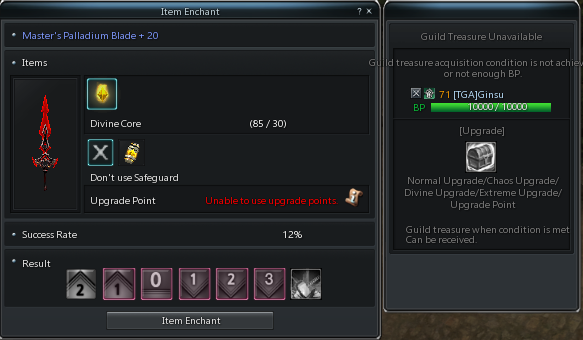
Divine Safeguards can prevent the item from getting downgraded so it is advised to using them on every Divine Upgrade if possible.
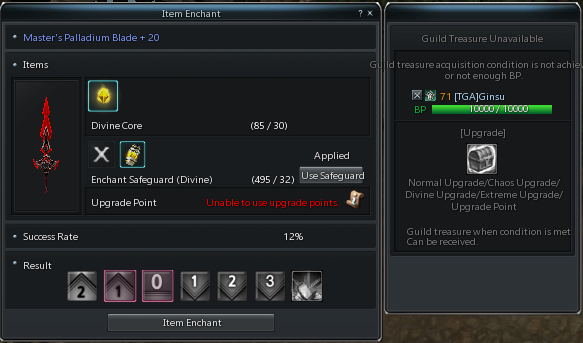
To make divine upgrades, you will need:

Divine Cores(Stones)to make divine upgrades.
Divine Convertersto unlock divine upgrades for gear.
Divine Safeguardsto prevent downgrading of the item during divine upgrades.
¶ Where to obtain Divine Upgrade Materials
Suggested locations to obtain Divine Upgrade materials:
-
Divine Cores
-Chloe Craft (Requires Divine Core Fragments which can be obtained from Glacias Inferna or Lucky Boxes)
-DP Shop -
Divine Converters
-Deighton(Grocer) in Bloody Ice -
Divine Safeguards
-DP Shop
¶ How to use Divine Converters
Simply right click to divine converter and left click on the item you want to unlock Divine Upgrades for. This will make the item Divine Upgrade +1.
¶ Removing/Transferring Divine Upgrade
You can remove and store current Divine Upgrade level of an item. You might want to do this if:
- You are going to sell your item and don't want to sell your divine upgrade with it.
- You might want to switch to a better gear and want to transfer your divine upgrade from older gear
- You may want to sell the divine upgrade itself.
For this you will need Divine Seal Stone which can be obtained from Cash Shop
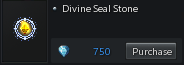
Using Divine Seal Stone on an item will reset its Divine Upgrade to 0 and store the current upgrade in seal itself. You may use this seal on another item to transfer the Divine Upgrade or you can sell the seal.
Divine Upgrades are not transferrable in between GEAR TYPES and GEAR GRADES.
For example:
❌ You cannot transfer the Divine Upgrade of an Armor into a Weapon.
❌ You cannot transfer the Divine Upgrade of a High Grade Armor(like SIGMetal) into a Highest Grade Armor(like Palladium)
✔️ You can transfer the Divine Upgrade of an Archiridium Weapon to a Palladium Weapon
Divine Upgrade gear type and gear grade stated on seal and item's type and grade you want to apply the seal must match. You can find sealed Divine Upgrade type and grade on top of Divine Seal's tooltip.